 Prepaid Wi-Fi access in Ghana
Reliable prepaid internet
Connect to
Connect to
MagicSky
Choose a prepaid Wi-Fi package, pay securely with Mobile Money through Paystack, or connect with an existing voucher.
200+
More than 200 active customersConnected across our local coverage communities

Public service page
This page is available for customers and payment-service verification. Checkout starts only after a customer joins the MagicSky HotSpot, so access can be issued securely to the paying device.
Simple prepaid access
Wi-Fi packages
All prices are in Ghana cedis. Short packages count actual connected time and remain available during their stated validity window.
How customers connect
Connect in eight simple steps
Use a voucher for instant login, or follow the Mobile Money steps below. The Paystack pictures were captured during testing; live customers use the same secure checkout without the yellow test label.
1
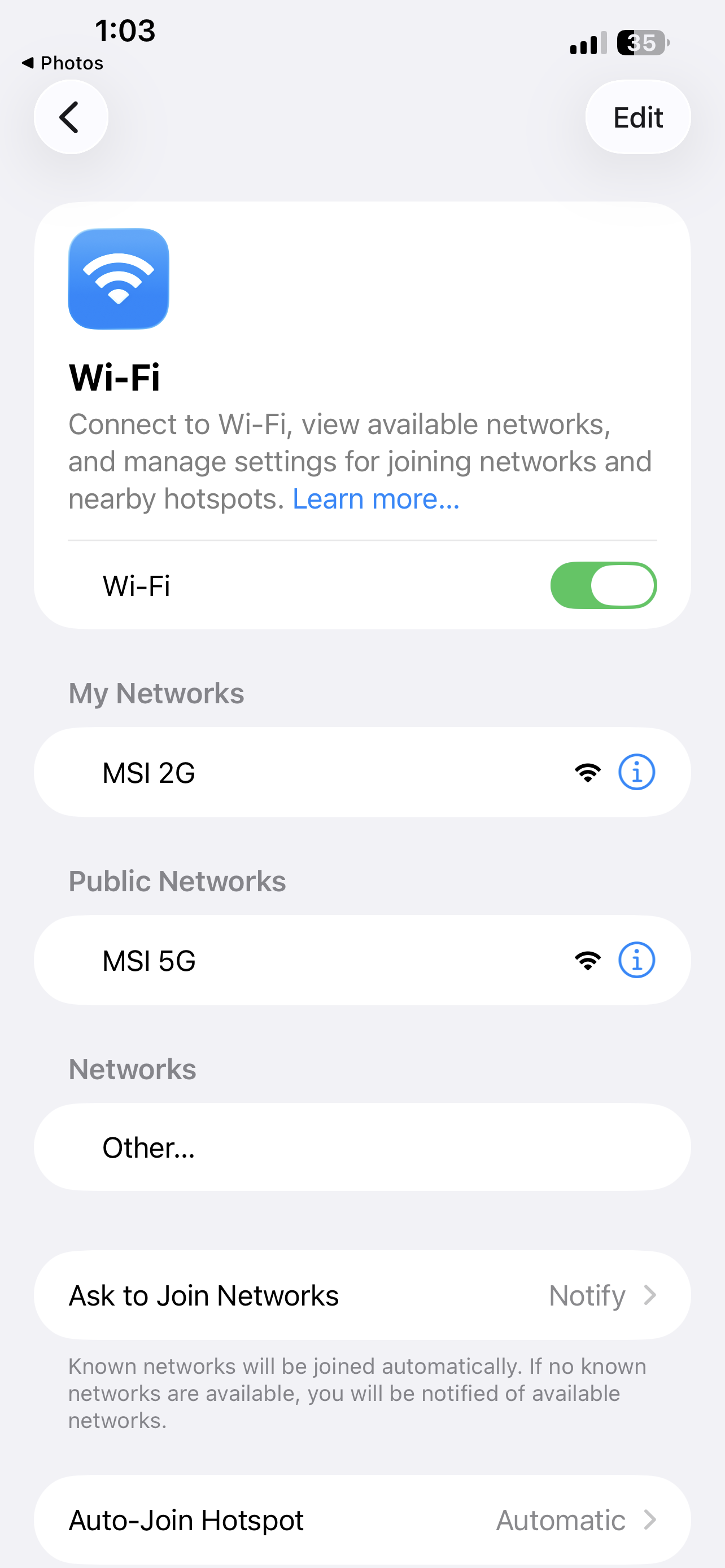
Join the Wi-Fi
Open Wi-Fi settings and select MSI 2G or MSI 5G.
2
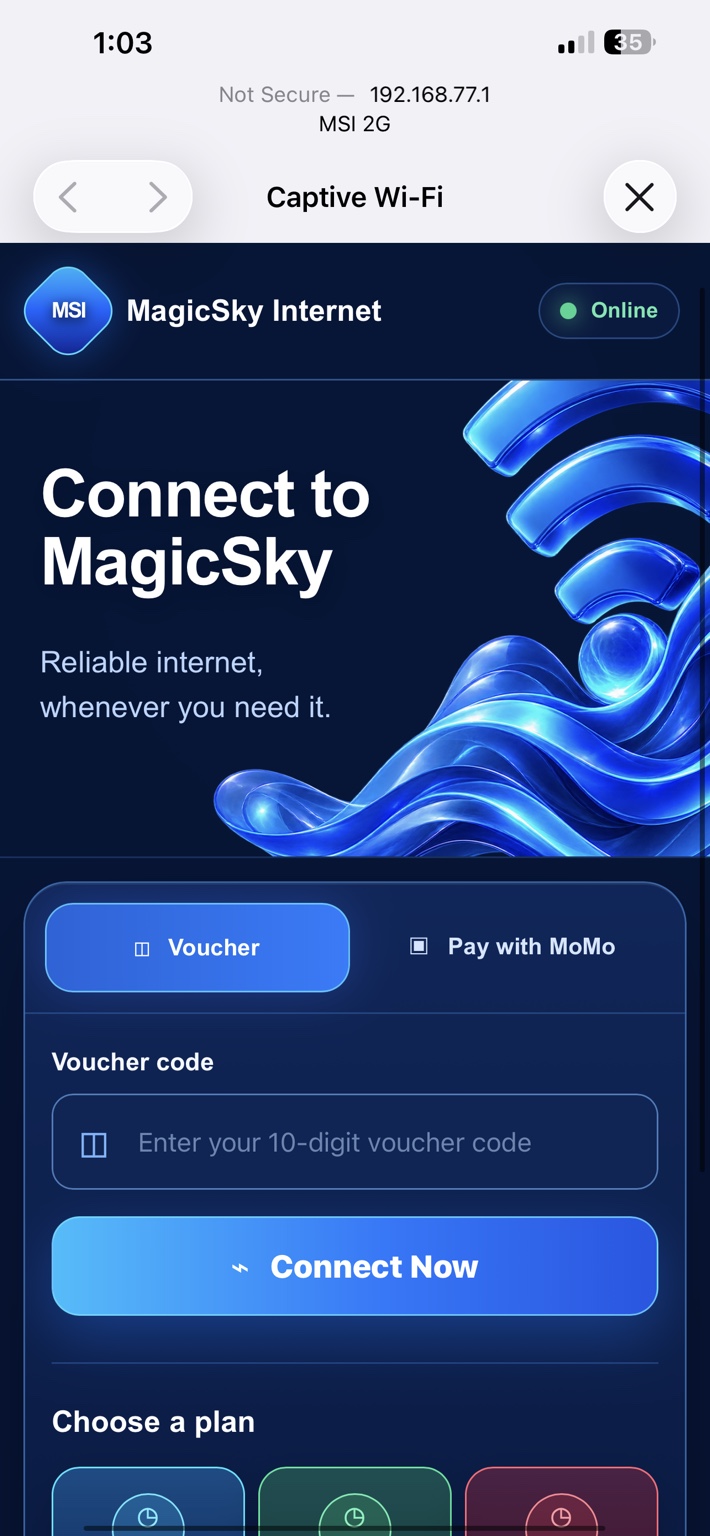
Choose how to connect
The portal opens automatically. Enter a 10-digit voucher and tap Connect Now, or choose Pay with MoMo.
3
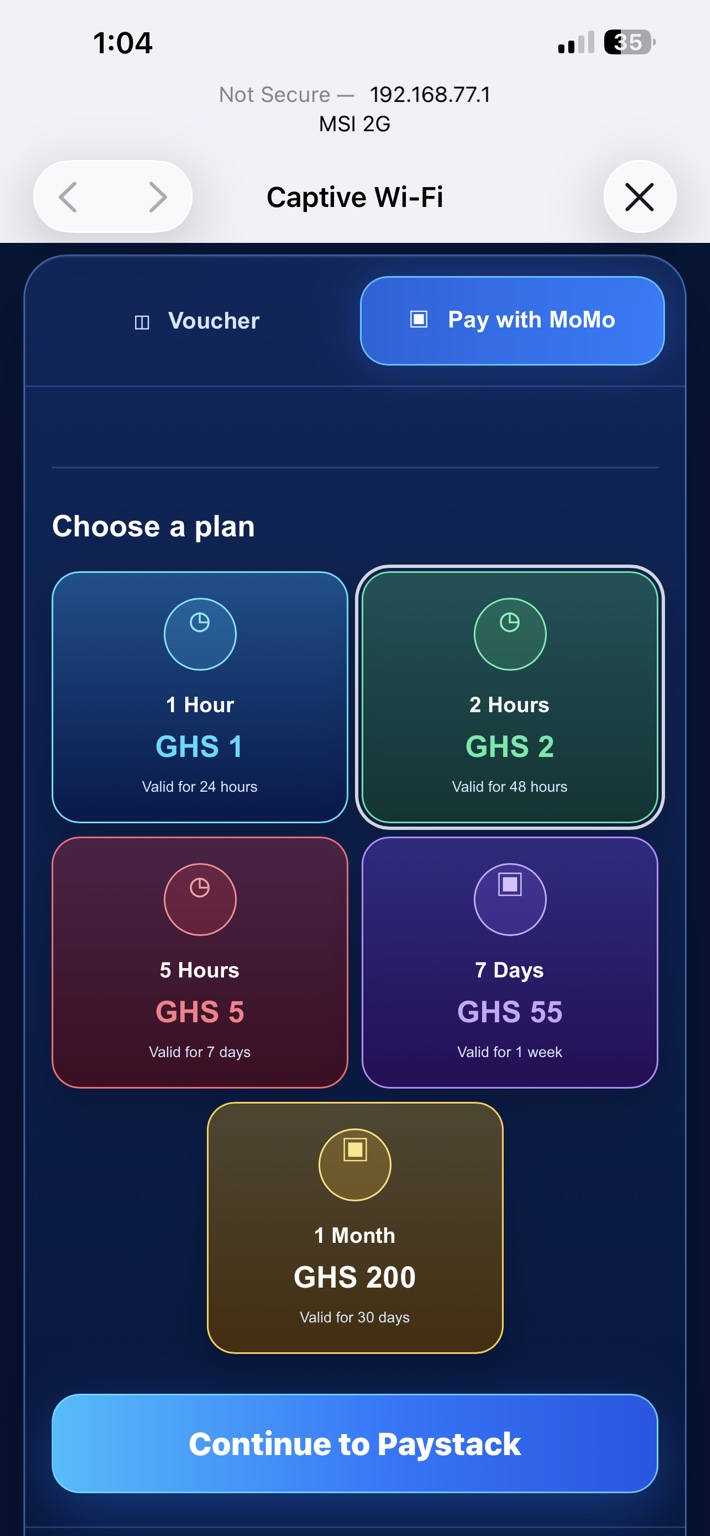
Select a package
Tap the package you want, then press Continue to Paystack.
4
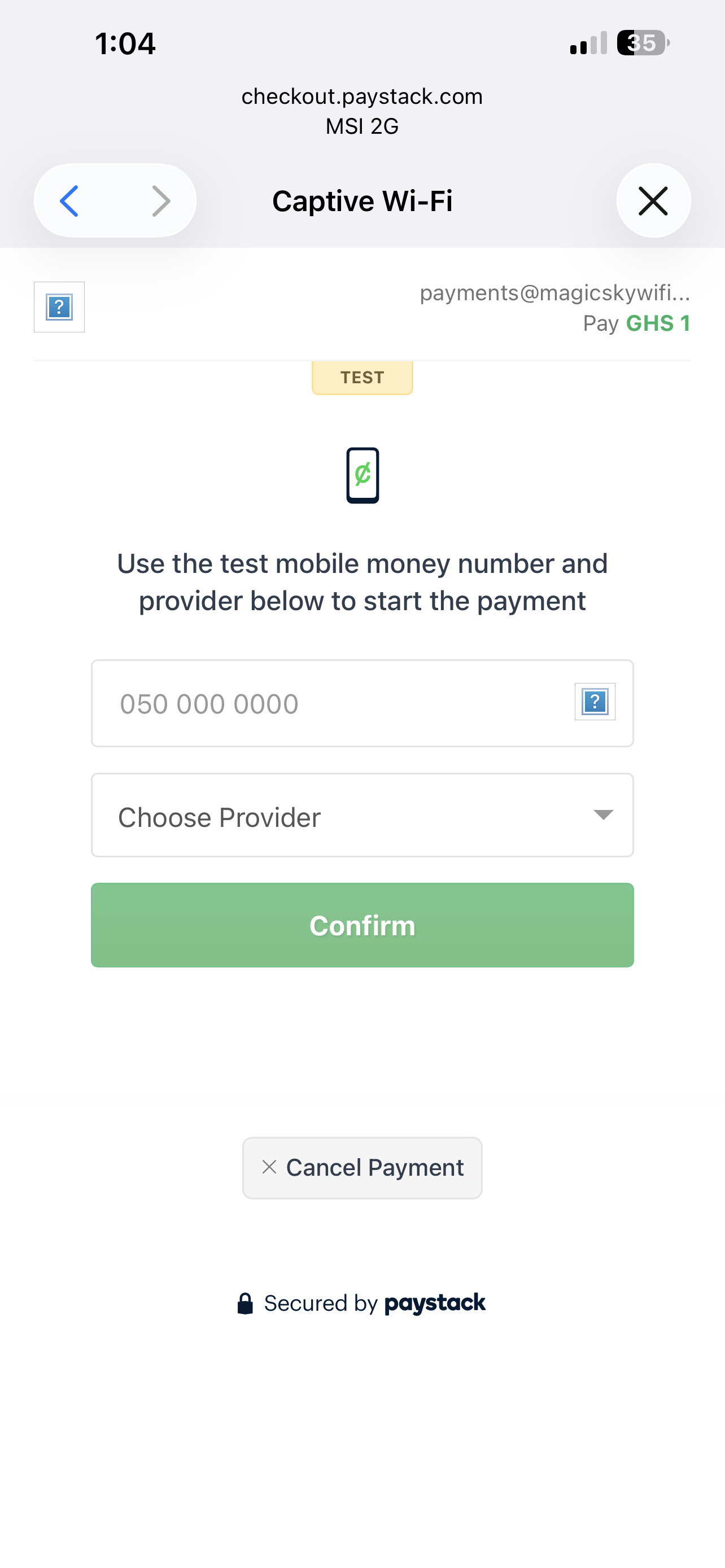
Enter MoMo details
On Paystack, enter your Mobile Money number, select the correct network and tap Confirm.
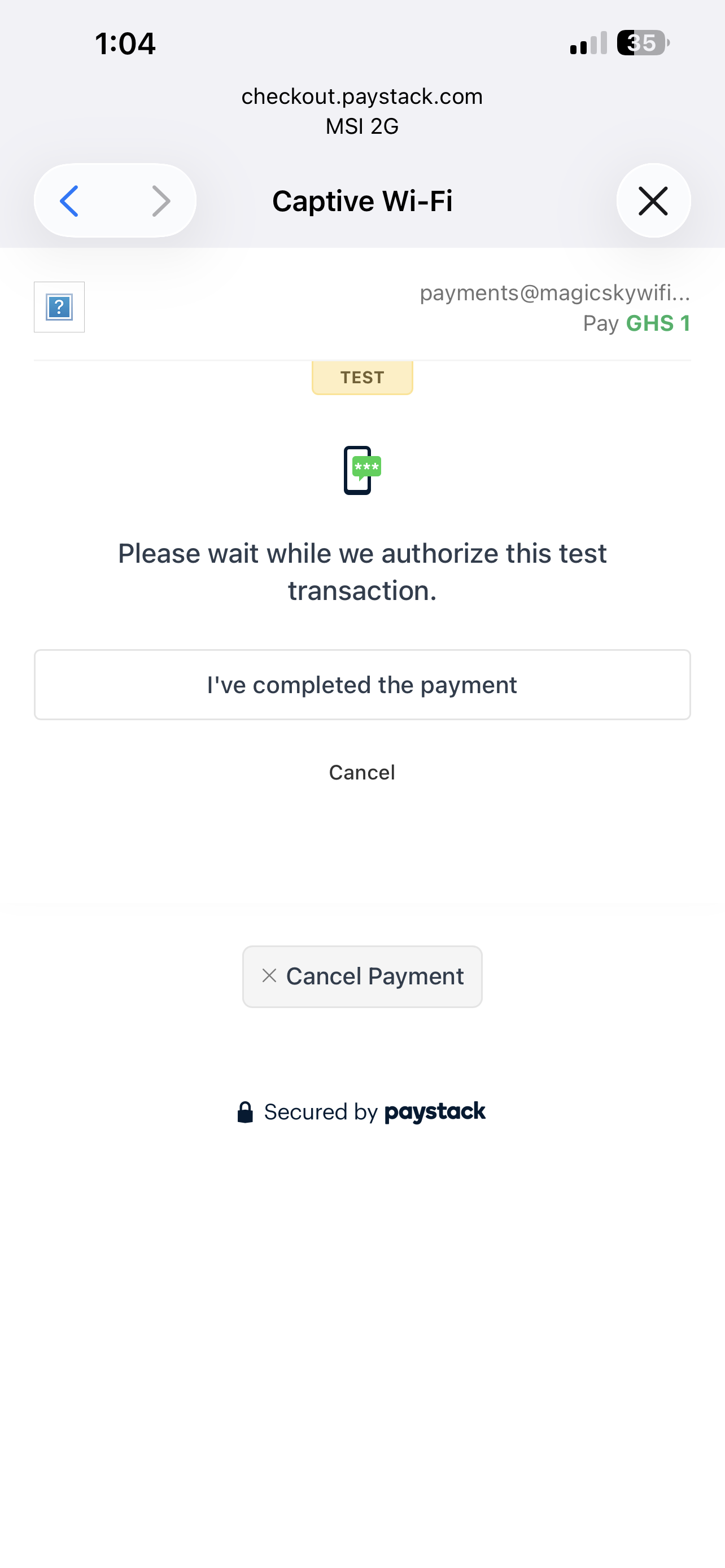
5
Approve the payment
Approve the request on your phone. Return to Paystack and confirm after completing it.
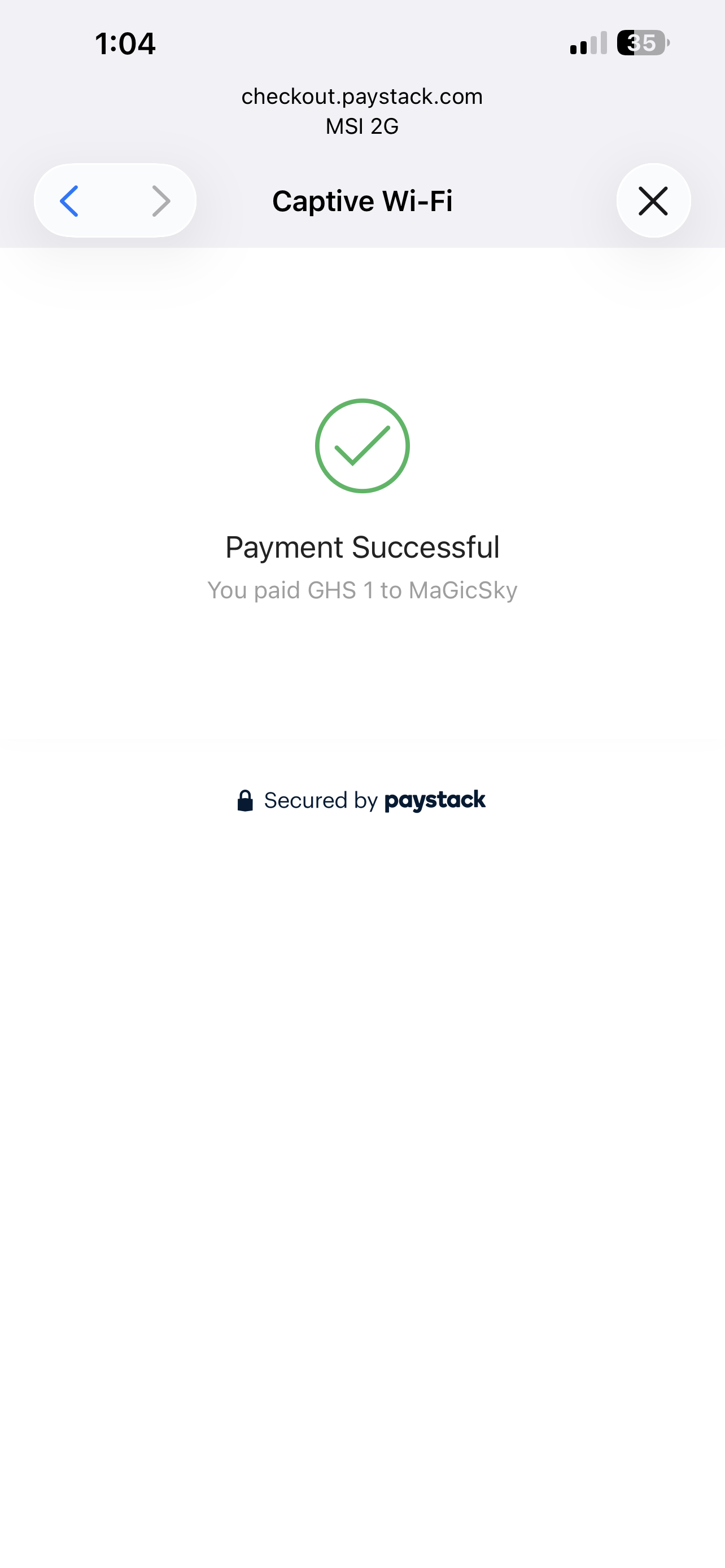
6
Wait for confirmation
Paystack shows Payment Successful after the transaction is verified.
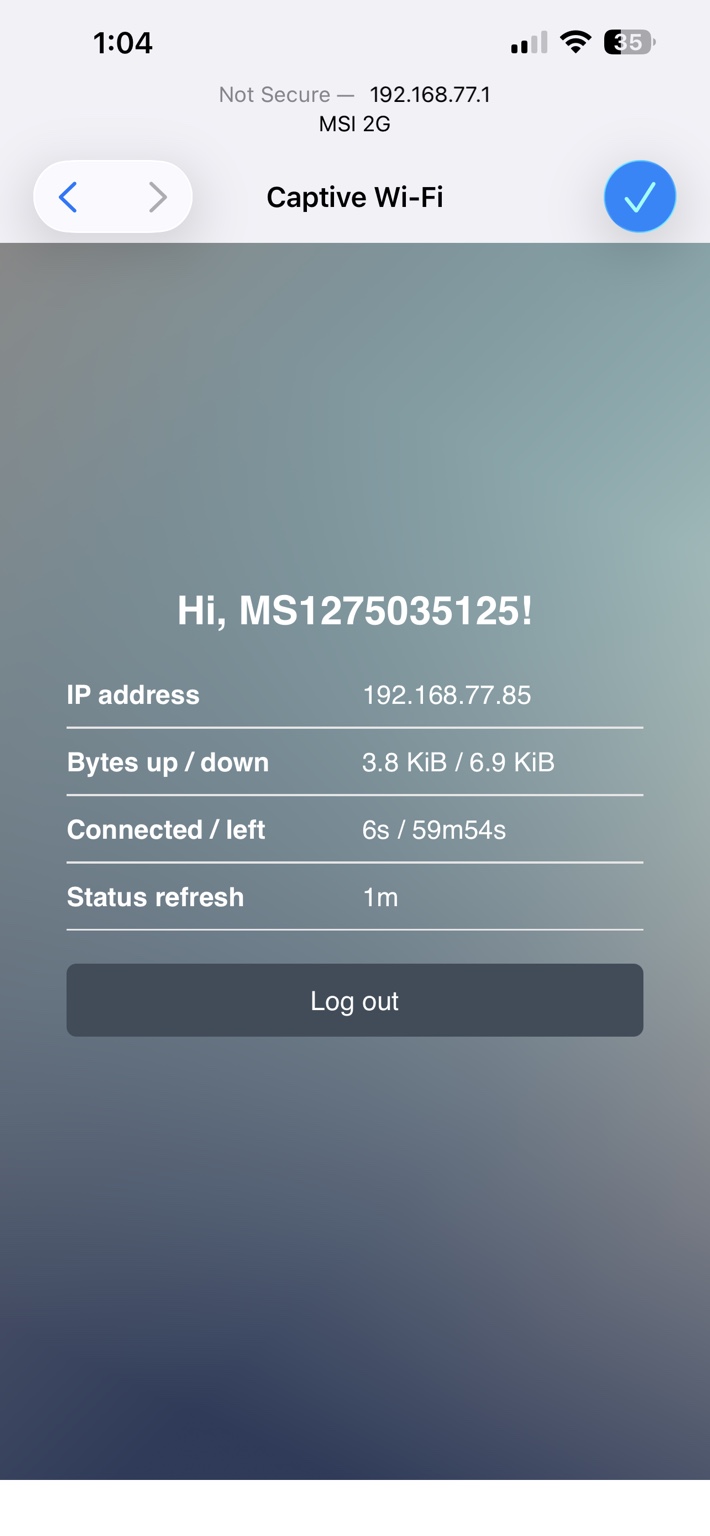
7
Automatic connection
MagicSky connects the same phone automatically and displays the package time remaining.
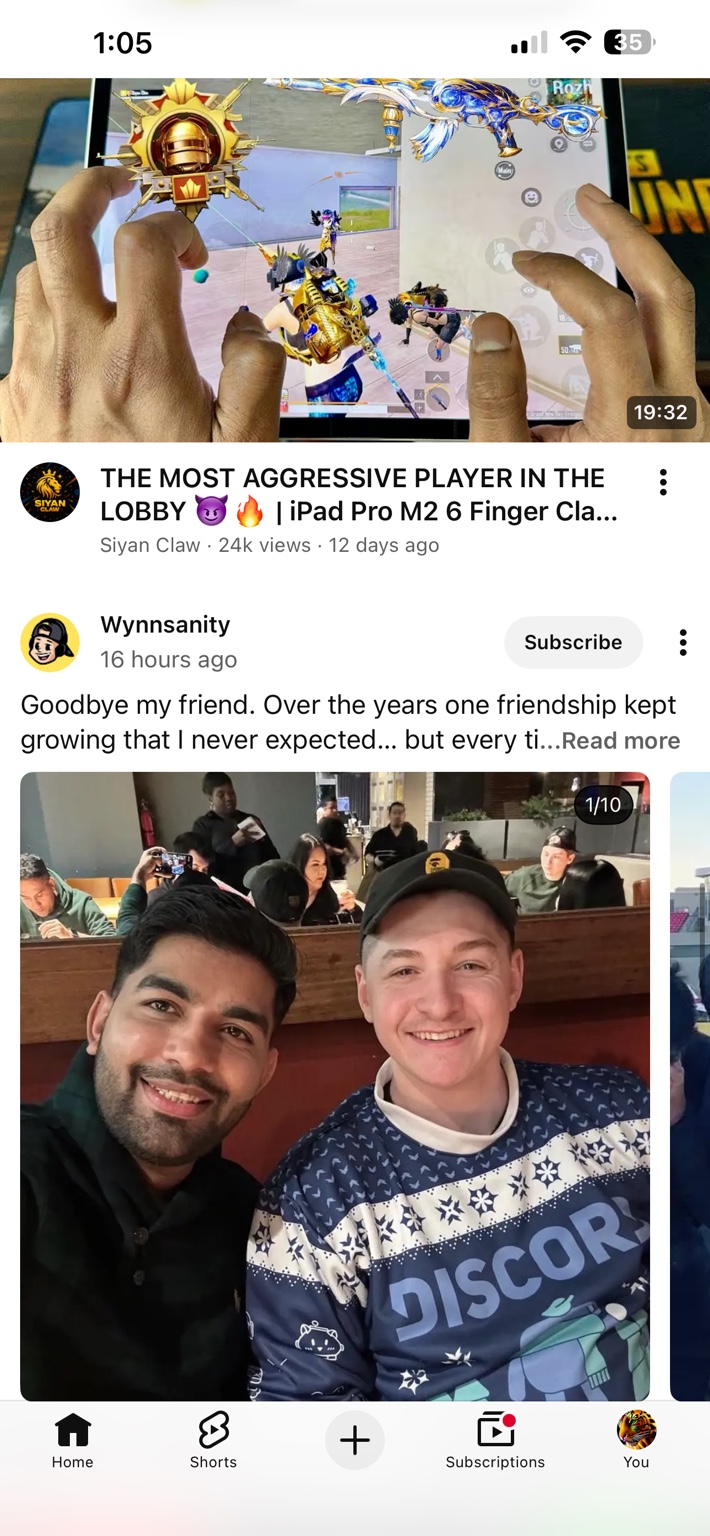
8
Start browsing
Close the captive window and use the internet normally. Your remaining time pauses when you leave and resumes when you return.

Student impact
Helping students learn and explore
These students use MagicSky Internet to support their homework and research work.
Affordable access helps them find learning materials, complete assignments and continue studying online when they need it.
Connected for learning
Our local network
Solar-backed internet for dependable village coverage
Selected MagicSky stations use solar power and battery backup, helping customers remain online during ECG power outages and supporting our goal of 24/7 service availability.
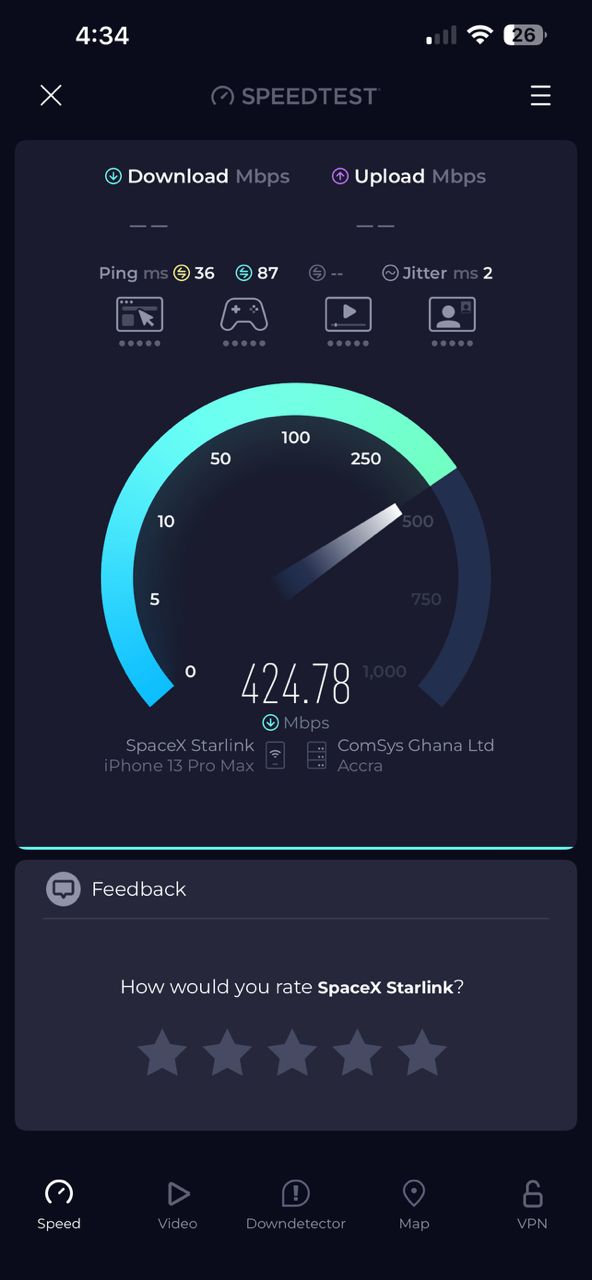
Speed test
424.78 Mbps download
A recent network test recorded 424.78 Mbps download with 36 ms idle ping.
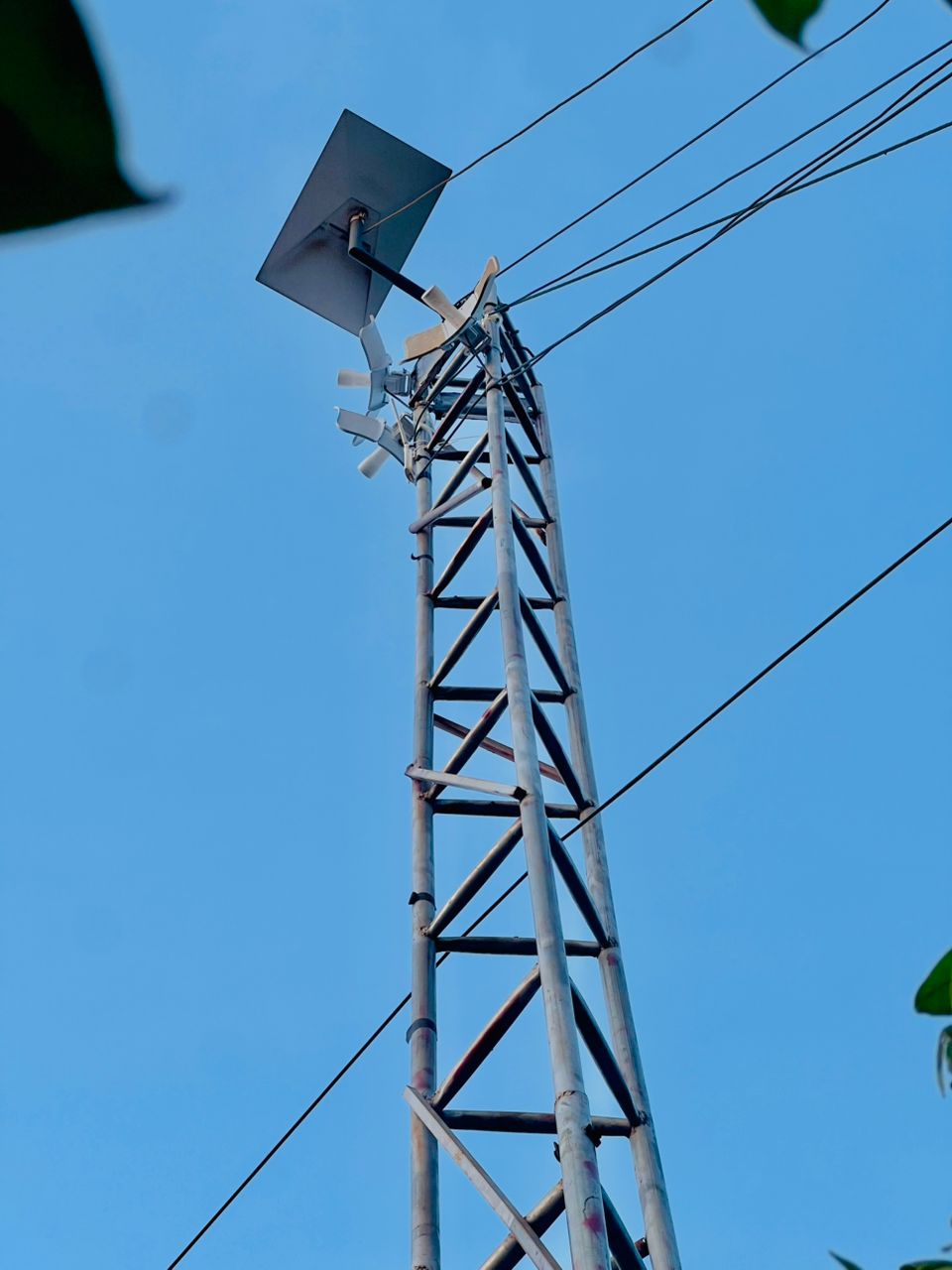
Solar station
Backup power for local service
Local distribution equipment is supported by solar power for service during many ECG outages.

Village coverage
Built close to customers
Village stations extend MagicSky coverage closer to homes, students and local businesses.
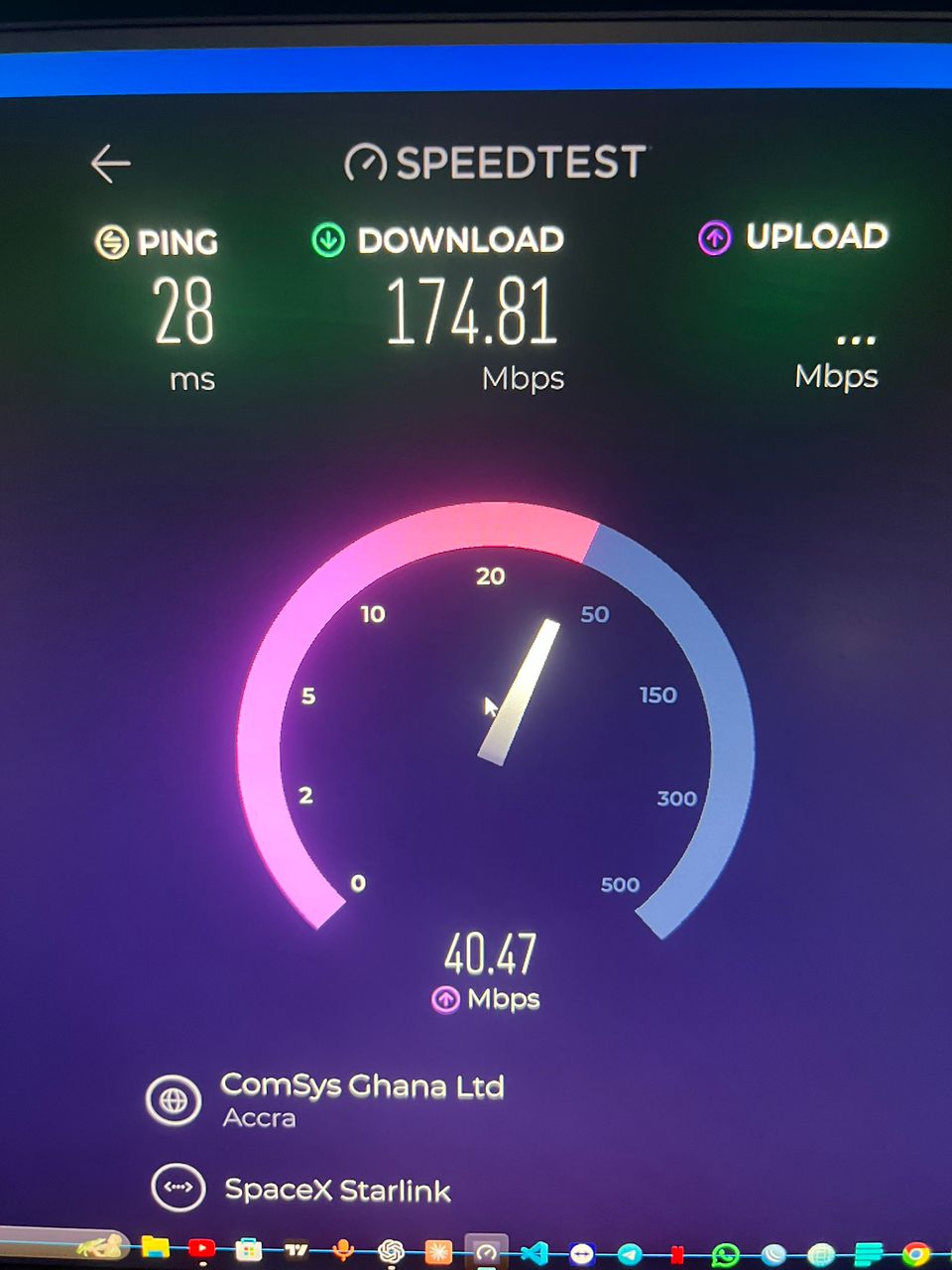
Speed test
174.81 Mbps download
Another test recorded 174.81 Mbps download, 40.47 Mbps upload and 28 ms ping.
Performance notice: Speed-test results are examples, not guarantees. Actual speed and availability vary with location, signal strength, device, Wi-Fi band, weather, congestion, maintenance and upstream providers.
Customer protection
Secure payment and support
Paystack checkout
Mobile Money details are collected on Paystack’s secure checkout. MagicSky does not display or collect a customer’s MoMo PIN.
Verified fulfillment
Access is created only after the server verifies the payment status, amount and currency.
Payment assistance
If a completed payment does not activate access, call support with the payment reference. Duplicate or failed-delivery cases are reviewed against network and payment records.
Clear customer policies
Terms, payments and customer protection
These terms apply to MagicSky voucher and Mobile Money customers. Last updated 29 August 2026.
Voucher terms
- Enter the voucher as both username and password when requested.
- Package time starts after successful activation and can be used only within the printed validity period.
- Short-package time pauses when the device leaves MagicSky Wi-Fi and resumes when it returns, until the validity window ends.
- A voucher is intended for one customer/session and must not be resold, copied or shared after activation.
MoMo and Paystack terms
- The total price and package are shown before checkout.
- Payment is completed securely on Paystack. MagicSky never asks for or stores a customer’s MoMo PIN.
- Internet access is issued only after the payment reference, amount, currency and successful status are verified.
- The paying phone should remain connected to MagicSky Wi-Fi until activation completes.
Refund and failed-delivery policy
Used or successfully activated access is normally non-refundable. If a customer is charged twice, or a confirmed payment does not deliver access, contact MagicSky within 7 days with the phone number, amount, date and payment reference. We review payment and network records. Approved refunds are returned through the original payment method; processing time depends on the payment provider. Failed or abandoned transactions are not treated as completed payments.
Privacy policy
MagicSky processes limited information needed to provide and protect the service, including device MAC/IP address, package, payment reference and status, connection timestamps and support details supplied by the customer. We use it for access delivery, fraud prevention, accounting and customer assistance. Payment data is handled by Paystack and relevant mobile network providers. We do not collect MoMo PINs or sell customer data.
Fair use, availability and acceptable use
Customers must not use the network for unlawful activity, attacks, spam, fraud, service resale or interference with other users. MagicSky may suspend abusive access. Solar backup supports continued service during many ECG outages, but uninterrupted service is not guaranteed during severe weather, equipment faults, maintenance, upstream outages or events outside our control.
Business and support
Customer support054 738 4810
MagicSky Internet
Prepaid wireless internet serving selected communities in Ghana. Contact us for payment assistance, voucher support, privacy requests or service questions.
Official MagicSky channels
Connect with MagicSky
Use our email, Facebook page and WhatsApp community for information, updates and customer support.
EmailEmail MagicSkygoldenfx2305@gmail.com
FacebookFollow MagicSkyfacebook.com/MagicSkyInternet
WhatsAppOfficial chat roomJoin the customer community
Stay safe: Use only the Facebook, WhatsApp and email contacts listed here. MagicSky administrators will never ask for your Mobile Money PIN.